We wish you a very Merry Christmas and a Happy New Year 2026, filled with good health, inspiration, and many exciting stereotomic designs ahead.
We would also like to take this opportunity to share some good news with you. The Voussoir plugin is now officially available online on the Food4Rhino platform, making it easier than ever to access, explore, and integrate it into your design workflow. This release represents an important step in sharing our research and tools with a broader community of designers, architects, and researchers interested in stereotomy and parametric masonry.
You can find more information, documentation, and download links on food4Rhino.
Thank you very much for your continued interest, enthusiasm, and support. We truly appreciate your engagement and look forward to staying in touch, exchanging ideas, and developing new stereotomic explorations together in the year ahead.
The Voussoir for Autodesk® Revit® plugin is designed to create stereotomic vaults directly within the BIM environment. Combining advanced geometric logic with principles inspired by traditional masonry construction, the plugin enables users to generate, edit, and export vault systems composed of voussoirs and springers in a fully parametric manner.
The tool integrates seamlessly into the Revit workflow by using preconfigured families (included with the plugin) that are automatically instantiated and organized into model groups to form stereotomic vaults.
Key Features:
Parametric Vault Generation:
Generate stereotomic vaults by selecting two opposite walls. The vault is created using default parameters, and all geometric properties (profile type, height, thickness, and subdivision patterns) can then be fully customized through the Edit functionality.
Native Revit Workflow Integration:
The plugin relies on dedicated voussoir and springer families to ensure geometric consistency and complete compatibility with standard Revit modeling practices.
Export Functionality:
Export the resulting vault geometry to external file formats (OBJ, STL, and others), supporting downstream workflows such as analysis, fabrication, or visualization.
Applications:
Advanced BIM Modeling:
Incorporate parametric stereotomic vaults directly into Revit projects without the need for external modeling tools.
Geometric & Structural Analysis:
Export detailed vault geometry for use in external simulation, optimization, or structural assessment tools.
Digital Fabrication Workflows:
Prepare voussoir models for CNC cutting, 3D printing, documentation, or visualization through supported export formats.
The Voussoir plugin offers an intuitive interface, robust parametric logic, and seamless integration into the Revit ecosystem, enabling AEC professionals to model stereotomic vault systems accurately, efficiently, and fully aligned with BIM standards.
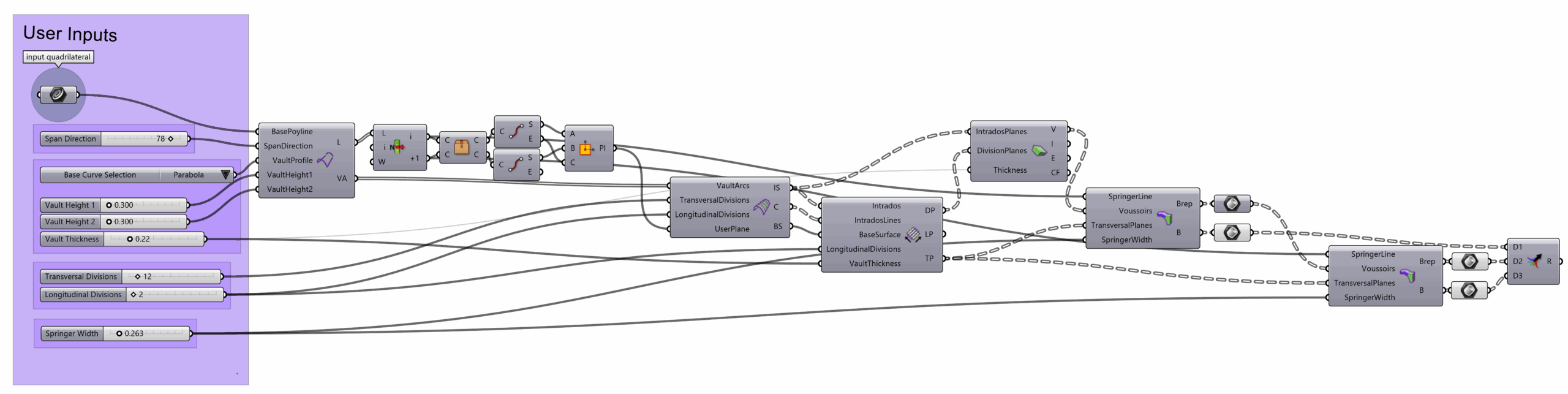
The parametric modelling of an irregular vault in Grasshopper begins with the definition of a planar quadrilateral curve that serves as the base profile. This curve is subdivided into its constituent segments and, by assigning the desired vault height, four fundamental base curves are generated: two transversal arcs, derived from the specified height, and two support lines. A loft operation between the arcs produces the initial vault surface, which is then subdivided into the individual intrados of the voussoirs. For this subdivision, the user specifies the number of longitudinal and transversal divisions, defined by the “u” and “v” values, which correspond respectively to the number of voussoirs along the span and the number of courses across the height of the vault.
From the resulting grid points, transversal and longitudinal planes are constructed to establish the contact surfaces between voussoirs. These planes form the basis for generating the planarized intrados, obtained through a fit plane operation. To generate the extrados, each intrados plane was offset along a normal vector calculated by averaging the directions of the adjacent division planes.
Finally, the springers were modelled selecting the voussoirs that intersect with an imaginary wall that has as its base the springer line, and then for each transversal set of voussoirs obtaining the highest “Z” coordinate and creating an extrusion with that height and a given width that is then fused to the selected voussoirs.
All the new components created in the scope of this Grasshopper definition can be found on the Turtle article.
The parametric modeling of a barrel vault in Grasshopper begins with the construction of an arc profile, governed by parameters such as span and rise. This profile is subdivided into segments corresponding to individual voussoirs, whose widths are also parametrically controlled. Each segment is extruded along the longitudinal axis to generate a sequence of base surfaces, which are then further extruded along their respective surface normals to define the volumetric geometry of the voussoirs. The resulting elements are systematically arrayed to form the complete vaulted system. The use of parameter sliders enables real-time manipulation of geometric and constructive variables, facilitating iterative design and formal exploration.
Given its geometric clarity and structural logic, the barrel vault constitutes an exemplary case study for investigating the potential of parametric modeling in architecture, and more specifically in stereotomy. Its modular nature lends itself to applications in digital fabrication and structural analysis.
Voussoir is a Grasshopper plugin for Rhinoceros 3D that enables the generation of stereotomic vault geometries from user-defined inputs. Developed as a tool for digital exploration of stone vault construction, it combines parametric modeling with geometric logic inspired by traditional masonry techniques.
The plugin is conceived with a modular architecture, allowing future integration of additional stereotomic approaches and ensuring that all components can seamlessly interact. Stay tuned for upcoming developments.
Preferred Installation: Open Rhino’s PackageManager, search for “voussoir” and install.
Features
Generate voussoir-based vault systems from curves or surfaces.
Control key geometric parameters, such as springer lines and intrados curvature.
Automatically subdivide vault surfaces into voussoirs with customizable dimensions.
Export vault elements as BREPs for further analysis, fabrication, or visualization.
Designed to integrate seamlessly within parametric workflows in Rhino and Grasshopper.
Use Cases
Historical reconstruction and digital archaeology.
Architectural design inspired by stereotomy and stone vaulting.
Educational applications in architectural geometry and design computation.
Technical Information
Compatible with Rhino 8 and Grasshopper.
Outputs clean and organized data trees for downstream use.
Requires no external dependencies.
Disclaimer: This plugin is intended solely for geometric design exploration. It does not perform structural analysis or validation, and results should not be used for engineering assessment.
Core Geometry
Barrel Vault Base Surface
Nickname: BVSrf
Creates the base surface for the creation of a barrel vault
Input Name
ID
Description
Type
Default Values
Input Lines
SpringerLines
Two non intersecting lines
Curve
—
Vault Height
VaultHeight
Arc’s height.
Float
2.00
Arc Selection
VaultProfile
Right-click to select type of curve. 0: Parabola, 1: Arc, 2: Catenary. Or input one of the above integers
Integer
2
Output Name
ID
Description
Type
Vault Surface
VS
The vault surface created by lofting both arcs
Surface
Springer Lines
SL
The two horizontal lines (remaining sides).
Line
Vault Arcs
VA
The two generated arcs.
Curve
Barrel Vault Division – UV Grid
Nickname: BVDivG
Divides a vault defined by two arcs into spanwise and lengthwise voussoirs.
Input Name
ID
Description
Type
Default Values
Vault Surface
VaultSurface
The vault surface created by lofting both arcs
Surface
—
Transversal Divisions
TransversalDivisions
Number of voussoirs in the vault’s span
Integer
12
Longitudinal divisions
LongitudinalDivisions
Number of voussoirs in the vault’s length
Integer
8
Output Name
ID
Description
Type
Intrados Planes
IP
Intrados planar vault panels
Plane
Division planes
DP
Planes of each Voussoir Contact Surface
Plane
Boundaries
B
Voussoir Boundaries (Indexes of Division Planes)
String
Transversal planes
TP
Planes at each length division
Plane
Longitudinal planes
LP
Planes at each span division
Plane
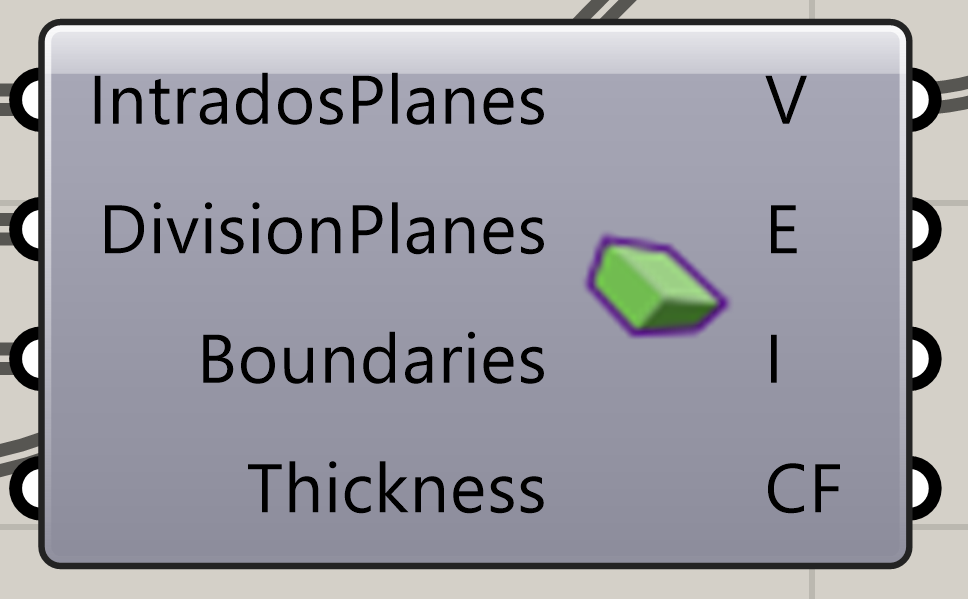
Create Voussoirs
Nickname: BVouss
Creates Voussoirs defined by division planes
Input Name
ID
Description
Type
Default Values
Intrados Planes
IntradosPlanes
Intrados planar vault panels
Plane
—
Division planes
DivisionPlanes
Planes of each Voussoir Contact Surface
Plane
—
Boundaries
Boundaries
Voussoir Boundaries (Indexes of Division Planes)
String
—
Thickness
Thickness
Voussoir Thickness
Float
0.25
Output Name
ID
Description
Type
Voussoirs
V
Voussoir Blocks
Brep
Intrados
I
Intrados Surfaces
Surface
Extrados
E
Extrados Surfaces
Surface
Contact Surfaces
CS
Voussoir contact surfaces
Surface
Springers
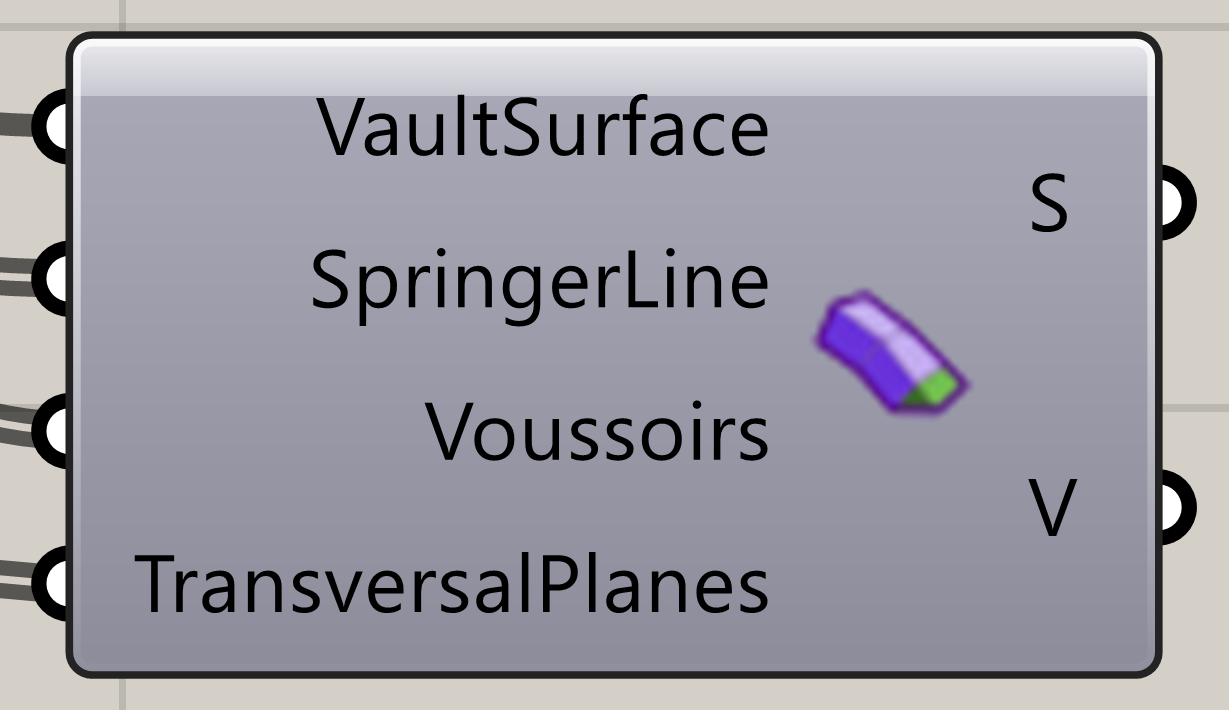
Springer – Triangle
Nickname: SprTri
Create a simple triangular Springer
Input Name
ID
Description
Type
Default Values
Vault Surface
VaultSurface
The vault surface created by lofting both arcs
Surface
—
Springer Line
SpringerLine
List of base lines to create vault springers
Curve
—
Voussoirs
Voussoirs
Voussoirs to analyse
Brep
—
Transversal Planes
TransversalPlanes
Planes at each span division
Plane
—
Output Name
ID
Description
Type
Springers
S
Finished Springers
Brep
Voussoirs
V
Non transformed voussoirs
Brep
Springer – Trapezoid
Nickname: SprT
Create a simple trapezoid Springer
Input Name
ID
Description
Type
Default Values
Vault Surface
VaultSurface
The vault surface created by lofting both arcs
Surface
—
Springer Line
SpringerLine
List of base lines to create vault springers
Curve
—
Voussoirs
Voussoirs
Voussoirs to analyse
Brep
—
Transversal Planes
TransversalPlanes
Planes at each span division
Plane
—
Output Name
ID
Description
Type
Springers
S
Finished Springers
Brep
Voussoirs
V
Non transformed voussoirs
Brep
Springer – Wall
Nickname: SprW
Creates a Springer based on the voussoirs closest to the springer line
Input Name
ID
Description
Type
Default Values
Vault Surface
VaultSurface
The vault surface created by lofting both arcs
Surface
—
Springer Line
SpringerLine
List of base lines to create vault springers
Curve
—
Voussoirs
Voussoirs
Voussoirs to analyse
Brep
—
Transversal Planes
TransversalPlanes
Planes at each span division
Plane
—
Springer Width
SpringerWidth
Distance perpendicular to springer line
Float
0.25
Output Name
ID
Description
Type
Springers
S
Finished Springers
Brep
Voussoirs
V
Non transformed voussoirs
Brep
Wootils
Arc by Height
Nickname: ArcH
Create an upward arc between two points and a given height (max radius constrained by point distance)
Input Name
ID
Description
Type
Default Values
Start
A
Start point of the arc.
Point
—
End
B
End point of the arc.
Point
—
Height
H
Height of the arc.
Float
2.00
Output Name
ID
Description
Type
Arc
C
Arc curve
Curve
Catenary by Height
Nickname: CatH
Create an upward catenary between two points and a given height
Input Name
ID
Description
Type
Default Values
Start
A
Start point of the catenary.
Point
—
End
B
End point of the catenary.
Point
—
Height
H
Rise (height) of the catenary.
Float
2.00
Output Name
ID
Description
Type
Catenary
C
Catenary curve
Curve
Parabola by Height
Nickname: ParH
Create an upward parabola between two points and a given height